How to Record a Professional Virtual Choir Performance at Home
Introduction
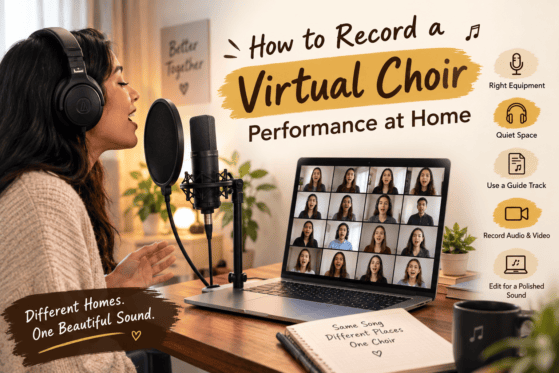
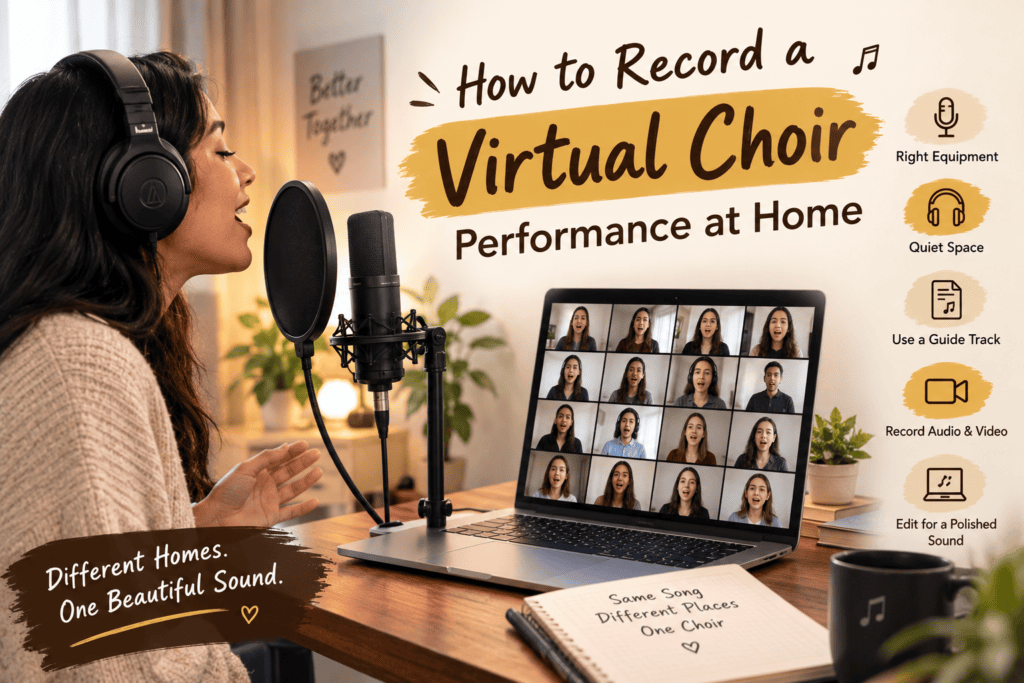
Learning how to record a professional virtual choir performance at home allows singers to contribute to a beautiful group performance without being in the same room. With a smartphone or computer, a good microphone, headphones, and simple recording software, choir members can record their individual parts from different locations.
However, a successful virtual choir video requires more than collecting recordings. Singers need to follow a shared tempo, record clear audio, match the musical direction, and submit their files in a consistent format. With careful preparation and editing, these individual recordings can become a polished virtual choir performance.
How to Record a Professional Virtual Choir Performance at Home
The first step in learning how to record a professional virtual choir performance at home is creating a clear recording plan.
Before singers begin recording, the choir director or music coordinator should provide:
A reference track or guide recording.
The starting pitch and tempo.
Instructions for audio and video recording.
A deadline and file-submission method.
Every singer should use the same musical reference. This helps keep the tempo, pitch, entrances, and phrasing consistent across the final performance.
It is also helpful to appoint one person to collect the files, check their quality, and organise them for editing.

1. Choose the Right Equipment for a Virtual Choir Recording
You do not need an expensive studio to produce a professional virtual choir performance at home. What matters most is clear sound, a quiet environment, and consistent recording practices.
Microphone
A dedicated USB microphone can improve vocal clarity, but a good smartphone or computer microphone may be sufficient for a beginner project.
Position the microphone at a comfortable distance from your mouth. Avoid placing it too close, as this can exaggerate breath sounds and cause distortion during louder notes.
Headphones
Headphones are essential when singers listen to a guide track while recording. They prevent the guide music from playing through speakers and being captured in the vocal recording.
Recording device
Use a smartphone, laptop, or desktop computer that can record reliably. If using a phone, ensure it has enough storage and that notifications will not interrupt the session.
Camera and lighting
For a video-based virtual choir, use a stable camera position and simple lighting that clearly shows the singer’s face. A tripod or phone stand can help prevent shaky footage.
2. Prepare a Quiet Space for Recording a Virtual Choir Performance at Home
Room acoustics can make a noticeable difference to vocal recordings. Large, empty rooms may produce excessive echo, while rooms near traffic or household activity can introduce unwanted noise.
To improve your recording space:
Choose a quiet room away from traffic and appliances.
Close windows and doors where practical.
Turn off noisy fans or equipment if it is safe to do so.
Use curtains, rugs, or soft furnishings to reduce reflections.
Keep the microphone away from walls and noisy computer fans.
Record at a consistent distance from the microphone.
Avoid adding artificial reverb while recording unless the project specifically requires it. A clean, relatively dry vocal recording gives the editor more control over the final mix.
3. Use a Guide Track to Keep Every Singer in Time
One of the biggest challenges in virtual choir recording is synchronisation. Since singers record separately, they cannot hear the other choir members performing live.
A guide track helps everyone follow the same tempo and musical structure.
The guide track may include a metronome click, piano accompaniment, a demonstration of the vocal part, or a combination of these. The choir director should explain which track singers must listen to and whether it should be audible in the final recording.
For best results:
Start the recording before the first musical entrance.
Leave a few seconds of silence at the beginning.
Listen to the guide through headphones.
Avoid changing tempo independently.
Keep the guide track out of the recorded vocal audio.
Important: The editor can align recordings more easily when all singers follow the same guide. However, inconsistent tempo and phrasing may still require additional editing.
4. How to Record Clear Vocals for a Professional Virtual Choir
Vocal quality is one of the most important parts of a successful virtual choir performance.
Before recording, singers should warm up, practise their parts, and become familiar with the reference track. They should also choose a comfortable posture that supports breathing and vocal control.
During recording:
Sing with a natural, supported tone.
Keep your mouth at a consistent distance from the microphone.
Avoid turning away during important phrases.
Watch for clipping or distortion on louder notes.
Record multiple complete takes if time allows.
Listen back before submitting the final file.
If a singer makes a mistake, it is often easier to record the entire section again than to repair an inconsistent performance during editing.
5. Record Virtual Choir Videos With Consistent Framing
When the final performance includes individual singer videos arranged into a grid, consistency makes the result look more professional.
Ask every singer to follow the same framing instructions.
Place the camera at eye level.
Keep the face and upper body clearly visible.
Use a simple, uncluttered background.
Ensure the face is well lit.
Keep the camera in the same position throughout the recording.
Wear clothing that suits the choir’s chosen visual style.
Landscape or portrait orientation can work, depending on the intended layout. The organiser should specify the required orientation before recording begins.
Singers should also avoid moving the camera or changing their position between takes.

6. Record Audio and Video Together Correctly
If singers are submitting both audio and video, the organiser needs a reliable way to match the two files.
A simple method is to ask each singer to clap once at the beginning of the recording after starting the audio and video capture. The clap creates a visible movement and a corresponding audio spike that the editor can use to synchronise the files.
Singers should then pause briefly before beginning the song.
If using separate recording software, follow the organiser’s instructions carefully so that audio and video remain aligned.
For better quality, record the vocal audio using the designated recording application rather than relying only on the camera’s built-in microphone.
7. Use Recording Software for a Professional Virtual Choir Performance
Recording software helps capture clean audio, while video-editing software allows the organiser to assemble the final performance.
Depending on the project’s needs, singers or editors may use:
Audacity: A free audio editor suitable for recording and basic audio processing.
GarageBand: An audio recording and editing option for compatible Apple devices.
DaVinci Resolve: A video-editing application that can help assemble and synchronise multiple singer videos.
Other digital audio workstations: Useful for projects requiring more detailed mixing and processing.
The organiser should choose tools that match the team’s experience and the number of participants. Singers do not necessarily need to install complex software if they are only submitting a simple audio or video file.
8. How to Edit and Mix a Virtual Choir Performance at Home
Once the recordings have been collected, the editor can begin assembling the choir.
Synchronise the recordings
Align each singer’s performance with the shared guide track. Check that consonants, entrances, sustained notes, and cut-offs happen together.
Balance the vocal sections
Adjust the volume of each recording so that one singer does not dominate the ensemble. Sopranos, altos, tenors, and basses should be audible in proportion to the arrangement.
Correct obvious recording problems
Remove unwanted noise where possible, manage harsh volume peaks, and apply gentle equalisation or compression only when useful. Excessive processing can make the choir sound unnatural.
Add appropriate ambience
A subtle amount of reverb can help separate recordings feel more cohesive. Apply it carefully so that the words remain clear and the harmonies do not become muddy.
Assemble the video
Arrange the singers into a grid or another consistent layout. Keep the visual presentation simple enough that viewers can focus on the music.
Finally, review the entire performance with headphones before exporting the completed video.
9. Common Mistakes to Avoid When Recording a Virtual Choir at Home
Even talented singers can struggle with virtual choir recordings when the recording process is inconsistent.
Avoid these common mistakes:
Recording in a noisy environment.
Playing the guide track through speakers instead of headphones.
Using different tempos or reference tracks.
Recording too close to the microphone.
Changing camera orientation or framing without instructions.
Submitting files with unclear names.
Adding effects that make the vocal sound unnatural.
Forgetting to check the recording before submission.
Clear instructions and a short test recording can prevent many of these problems.
10. A Simple Checklist for Recording a Professional Virtual Choir Performance at Home
Before submitting your recording, check the following:
I have practised my vocal part.
I am using the correct guide track.
My room is quiet.
My headphones prevent the guide track from leaking into the recording.
My microphone or phone is positioned correctly.
My video framing follows the organiser’s instructions.
I have recorded a complete take.
I have listened to the recording for mistakes and noise.
My files are named and saved in the requested format.
I have submitted the files before the deadline.
Following this checklist can make the process easier for both singers and editors.
How The Mystic Keys Helps Singers Develop Better Performance Skills
At The Mystic Keys, singers can develop the musical foundations that support confident individual and ensemble performances. Vocal training can help students improve pitch accuracy, breath control, diction, phrasing, and consistency—skills that are especially valuable when recording without the immediate feedback of a live choir.
With structured practice and guidance, singers can learn to prepare their parts carefully, follow musical direction, and deliver more confident recordings.
The Mystic Keys supports musical growth through personalised online training, including Worship Piano & Singing Lessons Online, helping learners develop their skills, confidence, and musical expression.
Conclusion
Learning how to record a professional virtual choir performance at home involves careful preparation, consistent recording techniques, and thoughtful editing. You do not need an expensive studio to get started, but you do need a quiet space, a shared guide track, clear instructions, and a reliable recording process.
When every singer follows the same musical reference and records with care, the editor can combine individual performances into a cohesive and engaging virtual choir video.
Great virtual choir performances begin with great preparation—one singer and one recording at a time.
For more information and exciting resources about learning music, visit our website at The Mystic Keys. For more music content and exciting offers follow us on
Facebook, Instagram, YouTube, LinkedIn, Twitter, Pinterest, and Threads,